15 WordPress SEO Mistakes Beginners Make (And How to Fix Them Fast)
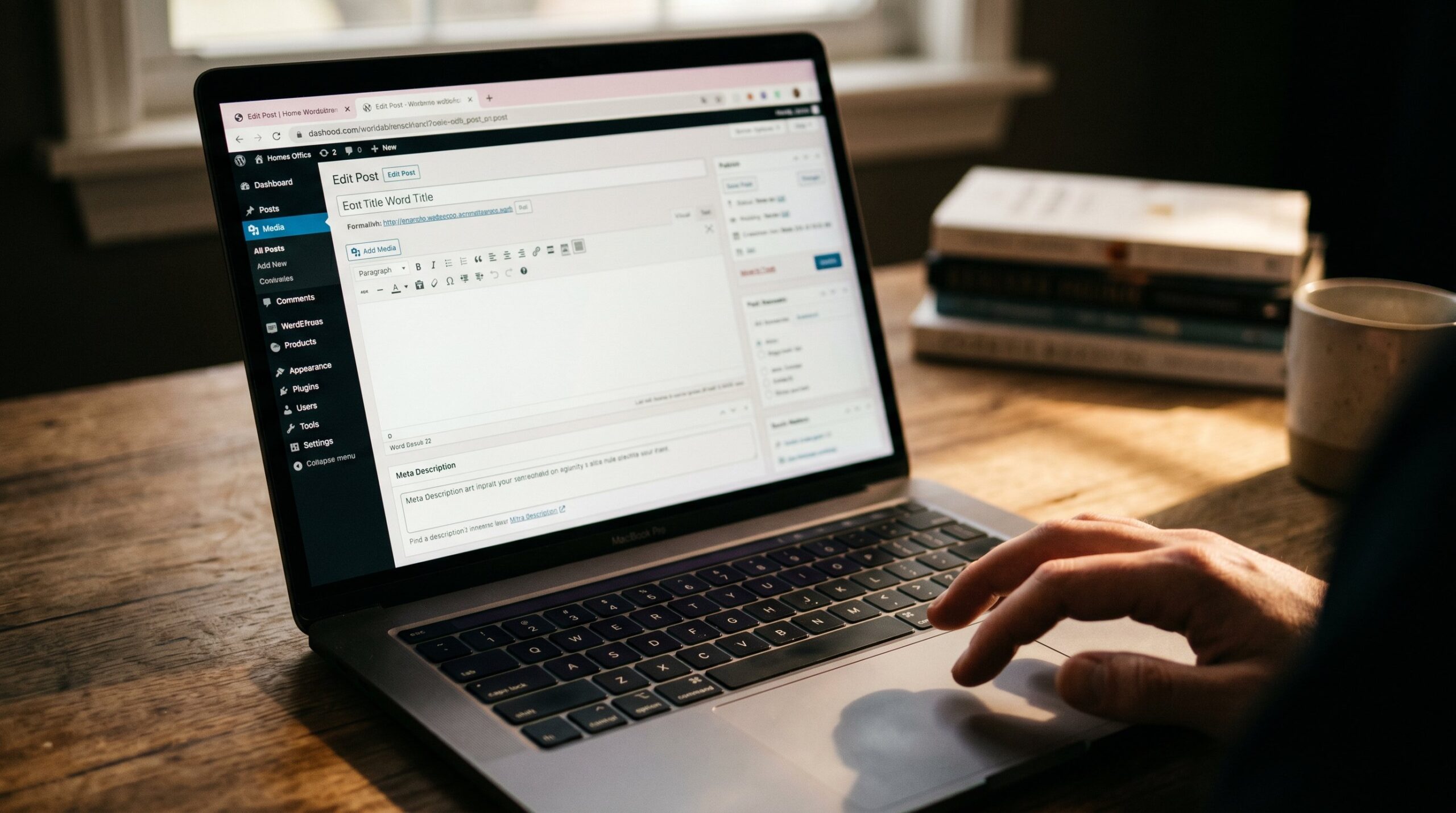
Master the fundamentals of WordPress SEO with this comprehensive guide to the most common pitfalls and their solutions. Fix these errors, and watch your organic traffic climb.
Last updated: 2026-05-05
Most WordPress beginners launch a site and assume Google will find them. The reality is harsher: without proper SEO foundations, even great content stays invisible. According to a 2025 Ahrefs study, 90.63% of web pages get zero organic traffic from Google. The reason? Fixable technical and on-page mistakes.
This guide walks through 15 WordPress SEO mistakes beginners make repeatedly, plus actionable fixes you can implement today. No vague advice or theory. Just practical steps that improve rankings.
Missing or Generic Meta Descriptions
Meta descriptions don’t directly impact rankings, but they control click-through rates from search results. A missing description means Google generates one automatically, often pulling random sentences that fail to entice clicks. Generic descriptions like “Welcome to my site” waste the 160-character opportunity to sell your page.
Every page and post needs a unique, benefit-focused meta description. Write like you’re convincing someone on a crowded search results page to choose your link over nine others.
Fix It
Install Yoast SEO, Rank Math, or DeltaLoop. Navigate to each page and fill the meta description field with 120–160 characters. Include your primary keyword naturally, lead with the benefit, and end with a soft call to action like “Learn more” or “Get started today.”
No XML Sitemap Submitted to Search Engines
An XML sitemap is a roadmap for search engines. Without one, Google might miss pages entirely, especially on larger sites or those with complex navigation. WordPress doesn’t generate sitemaps by default in older versions, and even when it does, you still need to submit it to Google Search Console.
Fix It
Most SEO plugins auto-generate an XML sitemap at yoursite.com/sitemap_index.xml. Verify it loads, then log into Google Search Console, navigate to Sitemaps, and paste the URL. Submit it. Repeat for Bing Webmaster Tools.
Broken or Default Permalink Structure
WordPress defaults to ugly URLs like yoursite.com/?p=123. These URLs carry no SEO value and confuse users. Even slightly better structures like yoursite.com/2026/05/05/post-name/ add unnecessary date folders that dilute link equity and make URLs harder to share.
Clean, keyword-rich permalinks help Google and humans understand page topics before clicking.
Fix It
Go to Settings → Permalinks and select “Post name.” If your site already has indexed URLs, use a redirect plugin like Redirection to map old URLs to new ones. Never change permalink structure without redirects or you’ll lose all existing rankings.
Ignoring Image Alt Text
Alt text serves two purposes: accessibility for screen readers and context for search engines. When you upload an image without alt text, Google can’t “see” what the image depicts, and visually impaired users miss the content entirely. This hurts both rankings and user experience.
Fix It
Open your Media Library. Click each image, scroll to the “Alternative Text” field, and write a descriptive sentence. Use natural language, include relevant keywords when appropriate, and describe what someone who can’t see the image needs to know.
Slow Page Speed
Google uses Core Web Vitals as a ranking factor. Sites that take longer than three seconds to load lose visitors and rankings. Common culprits include unoptimized images, bloated themes, too many plugins, and no caching.
According to Google, 53% of mobile users abandon pages that take over three seconds to load. Speed isn’t just an SEO metric; it’s a revenue metric.
Fix It
Run your site through PageSpeed Insights or GTmetrix. Compress images with ShortPixel or Imagify. Install a caching plugin like WP Rocket or W3 Total Cache. Enable lazy loading for images. Switch to a faster host if your current one scores poorly. Audit and deactivate plugins you don’t actively use.
No Schema Markup
Schema markup (structured data) helps search engines understand your content type: article, recipe, product, FAQ, event. Pages with schema can earn rich snippets (star ratings, recipe cards, FAQ accordions) that occupy more SERP real estate and boost click-through rates.
Fix It
Use Rank Math or Schema Pro to add JSON-LD schema to your pages. For blog posts, enable Article schema. For product pages, enable Product schema. For FAQ sections, enable FAQPage schema. Test your markup with Google’s Rich Results Test tool to confirm it’s valid.
Duplicate Content Across Pages
Duplicate content confuses Google. When multiple pages on your site share identical or near-identical text, search engines struggle to decide which version to rank. Common sources include category/tag archives, paginated posts, and copied product descriptions.
Google won’t penalize you outright, but it will pick one version to index and ignore the rest, wasting crawl budget and diluting authority.
Fix It
Set canonical tags to point duplicate pages to the original. Use Yoast or Rank Math to noindex tag and category archives if they don’t add unique value. Rewrite any copied content. Use 301 redirects if you consolidated multiple pages into one. Check our technical SEO checklist for WordPress for a deeper audit.
Publishing Thin or Low-Quality Pages
Thin content (under 300 words with no unique value) signals to Google that your page doesn’t deserve to rank. Examples include placeholder pages, outdated archives, or product pages with only a title and price. Google’s Helpful Content algorithm (2023 onward) explicitly demotes sites with high ratios of thin pages.
Fix It
Audit every page with Google Analytics. Identify pages with zero organic traffic and low word counts. Either expand them with original, helpful content (aim for 800+ words) or delete/noindex them. Quality beats quantity in 2026.
Missing or Multiple H1 Tags
Every page needs exactly one H1 tag, typically your page title. Multiple H1s confuse the hierarchy, and zero H1s leave Google guessing what the page is about. Many WordPress themes auto-insert an H1 for the title, but custom page builders or poorly coded templates sometimes skip it.
Fix It
View page source (right-click, View Page Source) and search for <h1>. If you find none, add one in your page builder. If you find more than one, convert extras to H2 or H3. Use a logical heading hierarchy: H1 → H2 → H3, never skipping levels.
No SSL Certificate (HTTP Instead of HTTPS)
Google has used HTTPS as a ranking signal since 2014. Sites without SSL certificates show “Not Secure” warnings in browsers, scaring away visitors and tanking conversions. In 2026, there’s no excuse: SSL certificates are free via Let’s Encrypt and most hosts install them automatically.
Fix It
Log into your hosting control panel (cPanel, Plesk, or custom dashboard) and enable SSL/TLS. Most hosts offer one-click activation. After enabling, install the Really Simple SSL plugin to redirect all HTTP traffic to HTTPS automatically. Update internal links and sitemaps to reflect the new protocol.
Ignoring Mobile Responsiveness
Google switched to mobile-first indexing in 2019. If your site isn’t mobile-friendly, Google ranks the broken mobile version, not the polished desktop one. According to Statista, 59% of global web traffic comes from mobile devices in 2026. A desktop-only site alienates the majority of your audience.
Fix It
Test your site with Google’s Mobile-Friendly Test tool. If it fails, switch to a responsive WordPress theme (Astra, GeneratePress, Kadence are solid). Check that text is readable without zooming, buttons are tap-friendly (minimum 48px touch targets), and horizontal scrolling is eliminated.
Keyword Stuffing and Over-Optimization
Repeating your target keyword 50 times in a 500-word post doesn’t help rankings. It triggers Google’s spam filters and makes content unreadable. Modern SEO prioritizes natural language and semantic relevance over exact-match keyword density.
Fix It
Write for humans first. Include your primary keyword in the title, first paragraph, one H2, and meta description. Use synonyms and related terms naturally throughout. Read your content aloud; if it sounds robotic, rewrite it. Aim for 1–2% keyword density, not 10%.
No Internal Linking Strategy
Internal links distribute authority across your site and help Google discover and understand page relationships. A post with zero internal links is an orphan page that gets less crawl priority and lower rankings. Many beginners publish content in isolation, never linking back to older posts.
Fix It
Add 3–5 contextual internal links per post. Link to related articles, cornerstone content, and category pages. Use descriptive anchor text (not “click here”). Install Link Whisper or use DeltaLoop’s automated SEO fixes for WordPress to surface internal linking opportunities.
Forgetting Robots.txt Configuration
The robots.txt file tells search engines which pages to crawl and which to skip. A misconfigured robots.txt can accidentally block your entire site from Google, or waste crawl budget on admin pages, search results, and duplicate archives.
Fix It
Visit yoursite.com/robots.txt. If it’s missing or overly restrictive (blocking /wp-content/ or /wp-includes/), use Yoast’s file editor or an FTP client to create or edit it. A safe default blocks /wp-admin/, /wp-login.php, and query parameters. Test it with Google Search Console’s robots.txt Tester.
Skipping 301 Redirects When Deleting or Moving Pages
Delete a page without setting up a redirect, and every external link pointing to it returns a 404 error. You lose all the authority that page earned. Move a page to a new URL without redirecting the old one, and you split link equity between two versions.
Broken links frustrate users and signal poor site maintenance to Google.
Fix It
Before deleting or moving any page, install the Redirection plugin. Add a 301 redirect from the old URL to the most relevant new page (or your homepage if no direct equivalent exists). Check Google Search Console for crawl errors and fix 404s by setting up redirects or restoring deleted pages.
Frequently Asked Questions
What are the 3 C’s of SEO?
The 3 C’s of SEO are Content, Code, and Credibility. Content covers the quality, relevance, and keyword optimization of your on-page text. Code refers to technical SEO elements like site speed, mobile responsiveness, structured data, and clean HTML. Credibility includes backlinks, domain authority, and trust signals like HTTPS and positive user reviews. All three work together to determine how well your site ranks in search results.
How do I write a good meta description?
A good meta description is 120–160 characters, summarizes the page’s unique value, includes the primary keyword naturally, and ends with a soft call to action. Write it like ad copy: hook the reader with a benefit, deliver on search intent, and give them a reason to click your link over the nine others on the SERP. Avoid generic statements like “Learn more about our company.” Instead, try: “Discover 15 WordPress SEO mistakes that tank rankings and the exact fixes to climb to page one.”
Is SEO dead or evolving in 2026?
SEO is evolving, not dead. While AI overviews and chatbots are changing how people search, organic traffic still drives billions of website visits every day. Google’s algorithm now prioritizes helpful, expert content that answers real user questions. Technical fundamentals like page speed, mobile responsiveness, and structured data matter more than ever. The sites winning in 2026 combine strong technical SEO with genuinely useful content. SEO isn’t going away; it’s just getting harder to fake.
Fix Your WordPress SEO on Autopilot
Subscribe to our newsletter for weekly WordPress SEO tips, tool reviews, and actionable strategies that move the needle on organic traffic.
Subscribe Now